Group and Cell Management
Bible classes, fellowships, cells and societies, each with its leader and its members.
In the app: Classes and groups
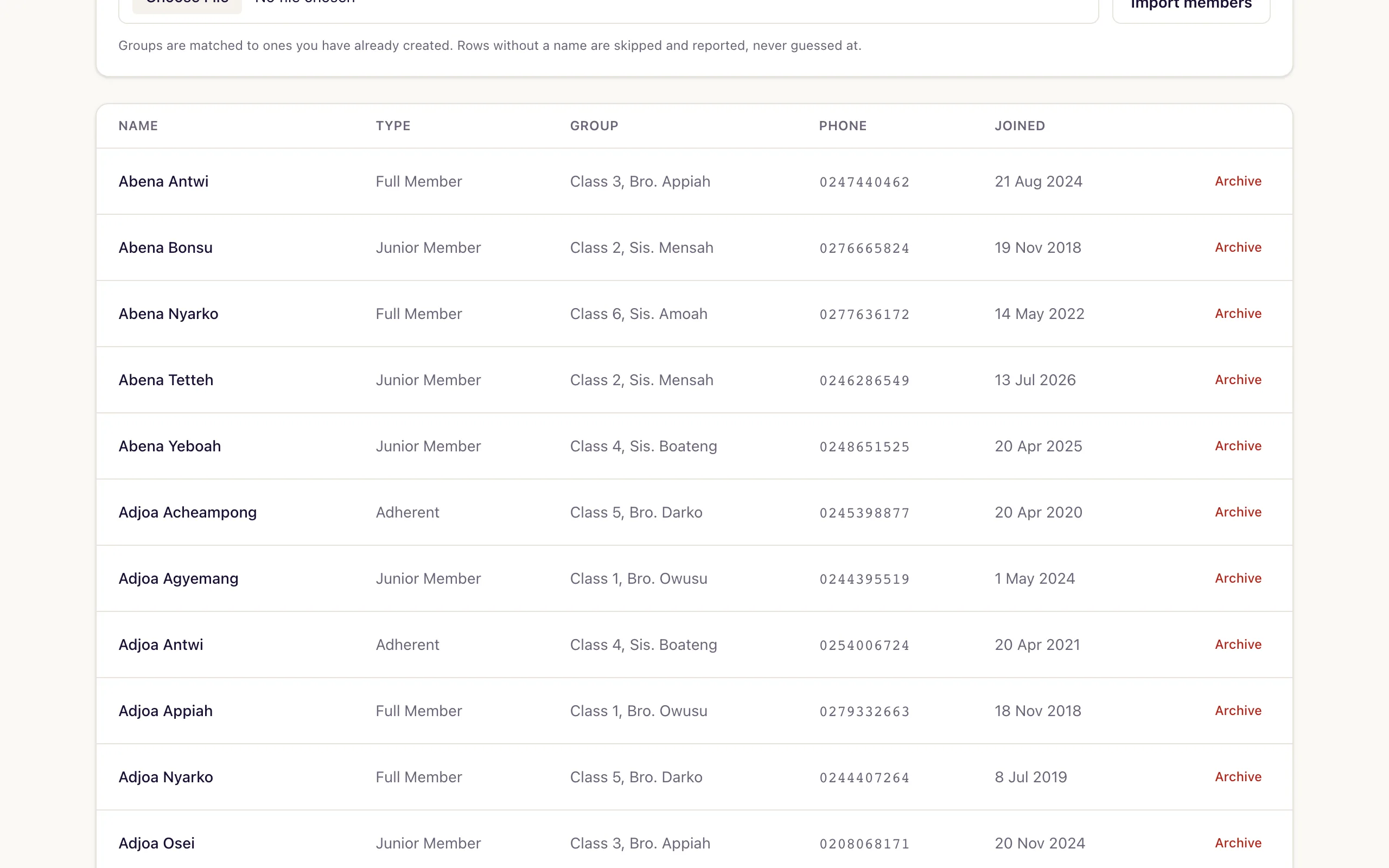
Most church software borrows a small group model from somewhere else and asks a Methodist society to pretend it is a home group. Fold uses the words your church already uses.
What it does
- Create classes, fellowships, cells or societies, whatever your church calls them.
- Name a leader for each one.
- Put members into a group when you import your register, not one at a time afterwards.
- See membership by group on the statistical return.
- Text a whole group from the register.
What is different about ours
Your structure, not a borrowed one
A Bible class, a class leader and a society are real things with real meanings in a Ghanaian church, and they are not the same as a small group with a facilitator. Fold does not rename them for you.
Groups come across in the import
Create your classes first and the register import drops each member straight into the right one, instead of leaving somebody to reassign four hundred people by hand.
Questions churches ask
- Can we use our own names for groups?
- Yes. Bible class, fellowship, cell, society, whatever your church uses.
- Can members be assigned to a group during import?
- Yes. Create the groups first and your import will place members into them.
Further reading
See it with your own register
Thirty days free, no card, and nothing to cancel. Bring the register you already keep and we will help you move it across.